2. Demand data loading
This training presents the data structure used by Demand
Planning and guides the load of each
dataset in the Community Edition. The eight files follow the same process
sequence, from 01 through 08.
Both tutorial languages provide identical original system exports. Scenario IDs and configured descriptions are in Portuguese; technical headers remain as exported by the application. The English text explains this same dataset.
Original file and field glossary
Keep the download identical to the application export: headers, sheet names, column order, types, values and native formatting. The field tables explain the literal technical names outside the workbook. Configured descriptions and IDs are scenario data, not translations applied after download.
Demand Planning overview
Demand Planning aims to generate a sales projection that combines two components:
- a statistical foundation for sales projections;
- collaboration among Planning, Sales, Marketing, and other teams in building the plan.
The demand plan is essential for make-to-stock operating models, particularly in long supply chains such as those that depend on imported products or components. Because this type of operation relies on a future sales projection to make inventory, production, distribution, and productive and logistics capacity decisions, the demand plan becomes the main input for the tactical and operational decisions that follow.
Data structure
In the Community Edition, the Demand Planning module has a straightforward data structure, consisting primarily of the master and transactional data shown below:
---
config:
  layout: elk
  elk:
    mergeEdges: false
    nodePlacementStrategy: NETWORK_SIMPLEX
---
flowchart LR
    %% Global wrapper keeps the three registration groups stacked and pointing to Sales on the right.
  subgraph registrations[" "]
    direction TB

    subgraph materialRegistration["Material Registration"]
      direction LR
      materialCharacteristics["Material<br/>Characteristics<br/><span style='font-size:10px;color:#64748b'>E.g.: Family, Category</span>"]
      materialCharacteristicValues["Characteristic<br/>Value by<br/>Material"]
      materials["Materials<br/><span style='font-size:10px;color:#64748b'>Finished Goods, Semi-Finished,<br>Raw Materials</span>"]

      materialCharacteristics --> materialCharacteristicValues --> materials
    end

    subgraph locationRegistration["Location Registration"]
      direction LR
      locationCharacteristics["Location<br/>Characteristics<br/><span style='font-size:10px;color:#64748b'>E.g.: Channel, Region</span>"]
      locationCharacteristicValues["Characteristic<br/>Value by<br/>Location"]
      locations["Locations<br/><span style='font-size:10px;color:#64748b'>Customers, Plants,<br>DCs, Suppliers</span>"]

      locationCharacteristics --> locationCharacteristicValues --> locations
    end

    subgraph unitRegistration["Units of Measure Registration"]
      direction LR
      globalConversions["Global<br/>Conversions<br/><span style='font-size:10px;color:#64748b'>E.g.: TON->KG</span>"]
      unitsOfMeasure["Units of<br/>Measure"]
      materialConversions["Material<br/>Conversions"]

      globalConversions --> unitsOfMeasure
      materialConversions --> unitsOfMeasure
    end
  end

  sellout["Sales<br/>(Sell-Out)"]

  materials --> sellout
  locations --> sellout
  unitsOfMeasure --> sellout

%% Keep the outer registrations wrapper visually transparent.
style registrations fill:transparent,stroke:transparent,stroke-width:0px
Accessing Data Registration and Extraction
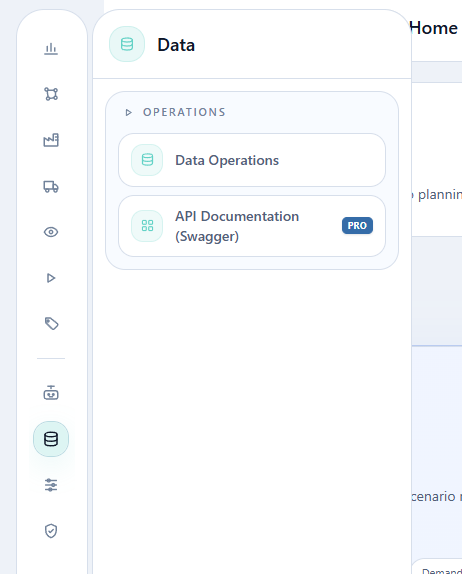
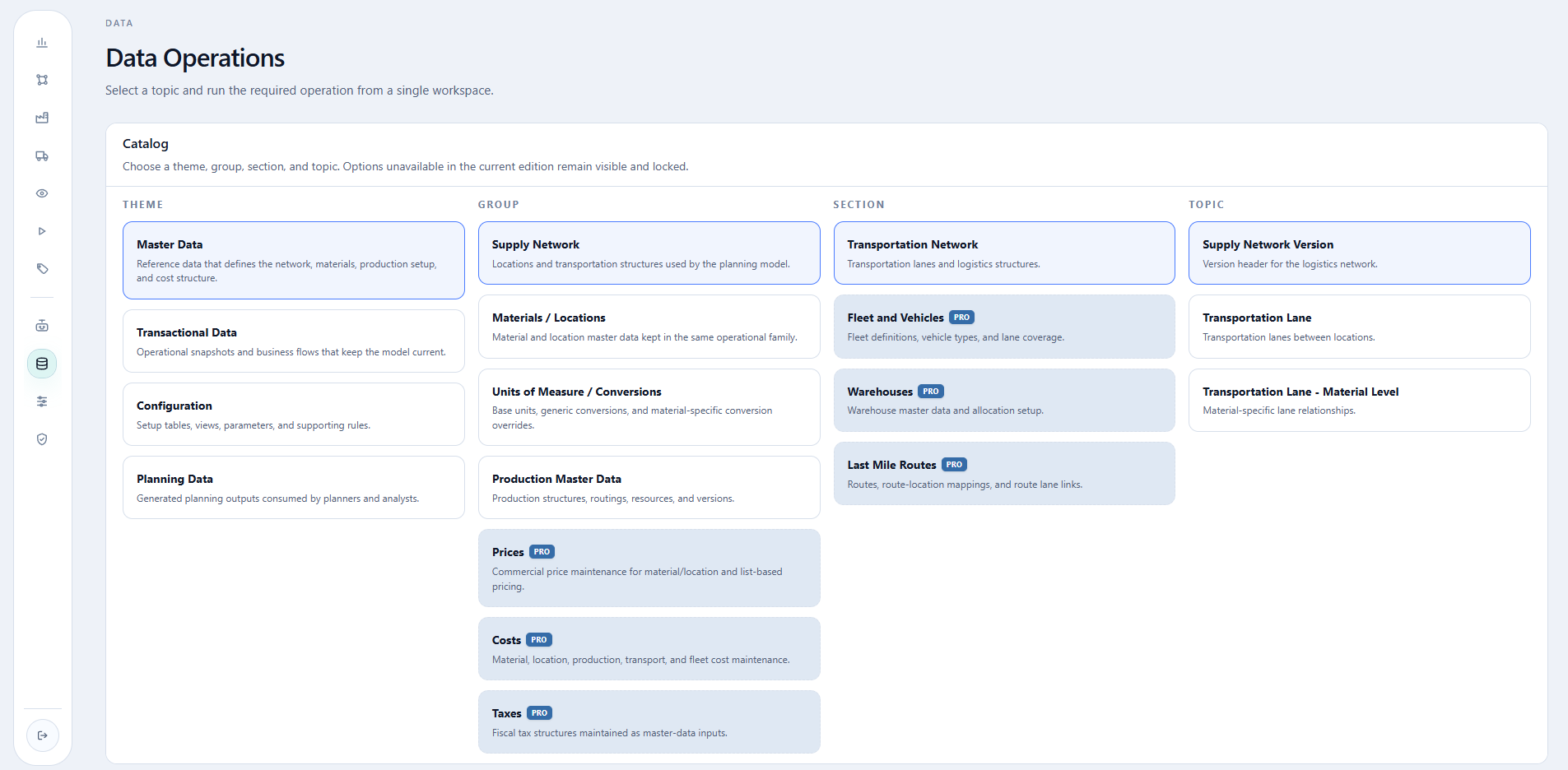
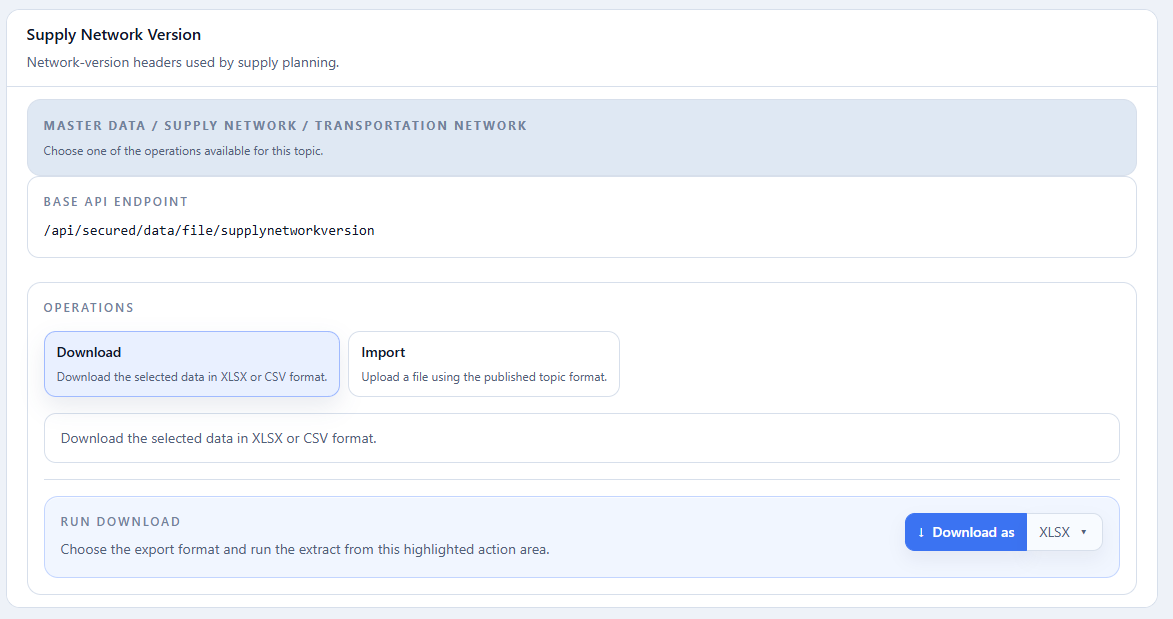
In the Community Edition, open the side menu → Data → Data Operations. The catalog is organized from left to right as Theme, Group, Section, and Topic. Selecting a topic opens its API endpoint and the Download, Import, and, when applicable, Delete operations below the catalog.
Load order
| Order | File | Dataset | Depends on |
|---|---|---|---|
| 1 | 01_unit_of_measure.xlsx |
Units of measure | — |
| 2 | 02_material_characteristics.xlsx |
Material characteristics | — |
| 3 | 03_materials.xlsx |
Materials | units and material characteristics |
| 4 | 04_unit_conversions.xlsx |
Global unit conversions | units of measure |
| 5 | 05_material_unit_conversions.xlsx |
Material conversions | materials and units |
| 6 | 06_customer_characteristics.xlsx |
Location characteristics | — |
| 7 | 07_locations.xlsx |
Locations | location characteristics |
| 8 | 08_sellout_history.xlsx |
Sales | materials, locations, and units |
Numbering is global: it indicates the order in which files are presented and loaded in this tutorial.
01. Units of measure
Units of measure are references used by materials, sales, inventory, routings,
and bills of material. This tutorial registers UN, KG, and TON.
Loading the units-of-measure dataset
Required action
Download the Excel file above and import it into the platform by following the Path and Import tabs.
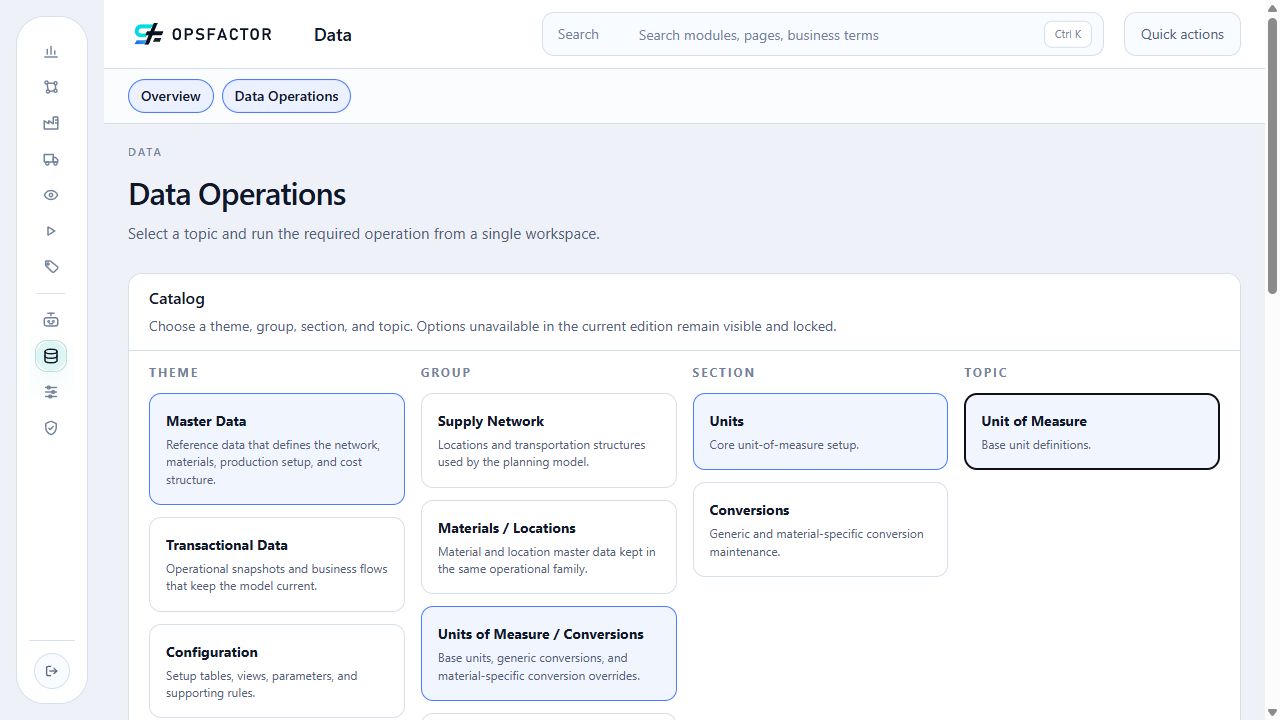
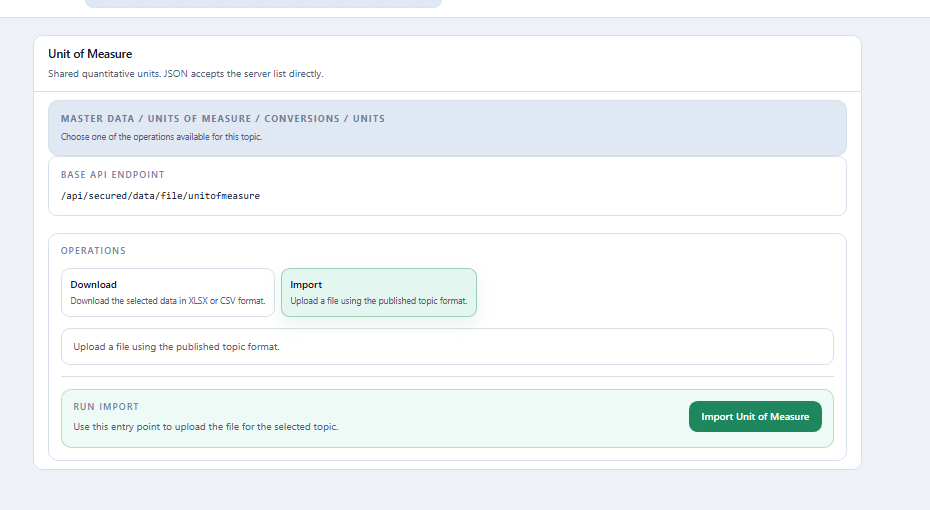
Read-only excerpt of the original export: sheet Data, 3 data rows; first 3 shown below. Headers and values are preserved. This webpage table does not alter the XLSX.
| Unit of Measure Id | Description |
|---|---|
| UN | Units |
| KG | Quilogramas |
| TON | Toneladas |
| Field | Meaning | Values used in the tutorial |
|---|---|---|
Unit of Measure Id |
Unique unit code and the key referenced by other datasets. | UN, KG, TON |
Description |
Name presented to the user. | Units, Kilograms, Metric tons |
Import the three rows through Import.
02. Material characteristics
Planning characteristics classify materials and will be used in the next training to build forecast clusters. This dataset registers each characteristic's name and type; its values are later provided in the material file columns.
Loading the material-characteristics dataset
02_material_characteristics.xlsx
Required action
Download the Excel file above and import it into the platform by following the Path and Import tabs.
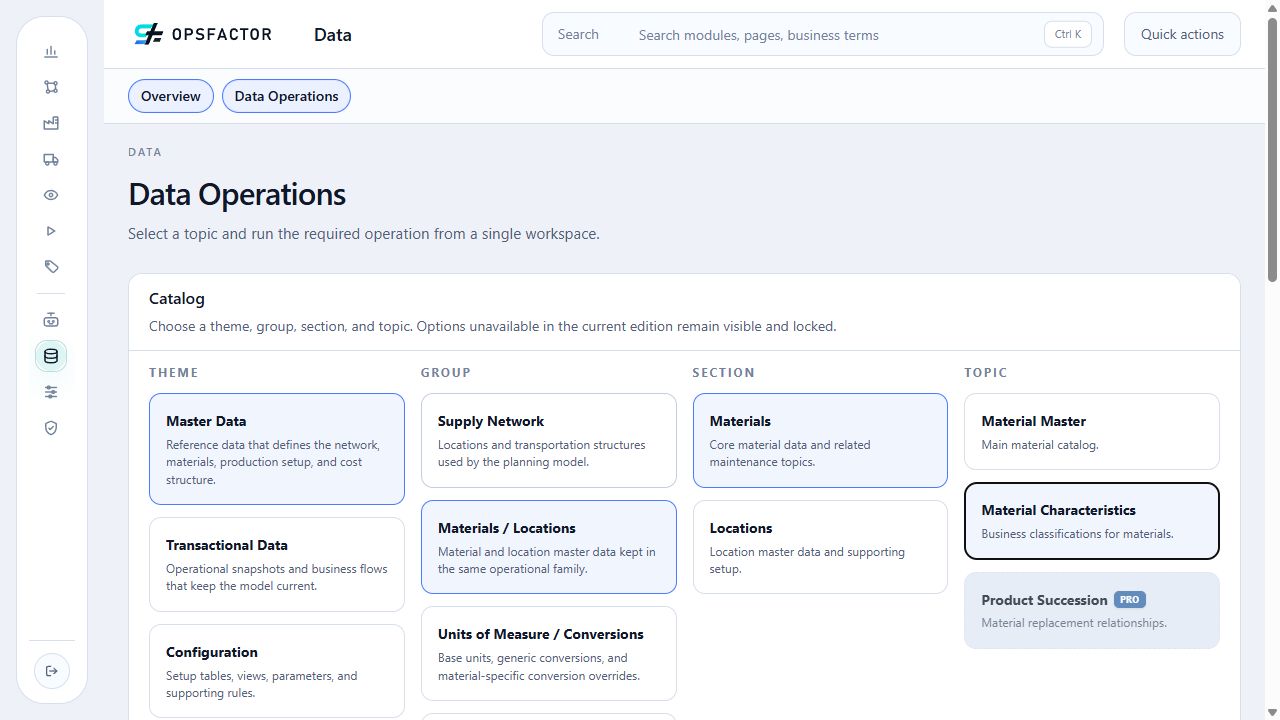
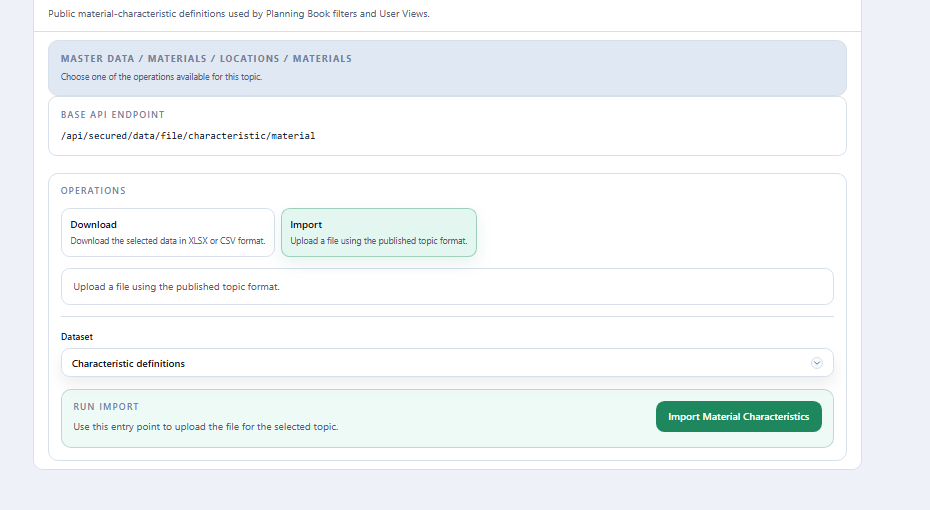
Read-only excerpt of the original export: sheet Data, 3 data rows; first 3 shown below. Headers and values are preserved. This webpage table does not alter the XLSX.
| Material Characteristic Id | Description | Type (BINARY / NUMERICAL / CATEGORICAL) |
|---|---|---|
| ESTAGIO_MATERIAL | Estágio do material | CATEGORICAL |
| FAMILIA_PRODUTO | Família do produto | CATEGORICAL |
| FORMATO_PRODUTO | Formato do produto | CATEGORICAL |
| Field | Meaning | Values used in the tutorial |
|---|---|---|
Material Characteristic Id |
Unique characteristic code. | ESTAGIO_MATERIAL, FAMILIA_PRODUTO, FORMATO_PRODUTO |
Description |
User-facing name and the column title in the material file. | Estágio do material, Família do produto, Formato do produto |
Type (BINARY / NUMERICAL / CATEGORICAL) |
Type of accepted values. | CATEGORICAL on all three rows |
- Material Stage identifies the material's process position:
Matéria-prima,Bobina,Semiacabado, orProduto acabado; - Product Family groups materials by family:
Celulose,Papel branco, orPapel tissue; - Product Format describes the physical presentation:
Celulose,Bobina jumbo,Pilha,A4,Carta, orPacote com 12 rolos.
03. Materials dataset
Materials represent raw materials, intermediates, and finished goods. The
Estágio do material, Família do produto, and Formato do produto columns are included in
the same file because those characteristics were registered in the previous
step.
Loading the materials dataset
Required action
Download the Excel file above and import it into the platform by following the Path and Import tabs.
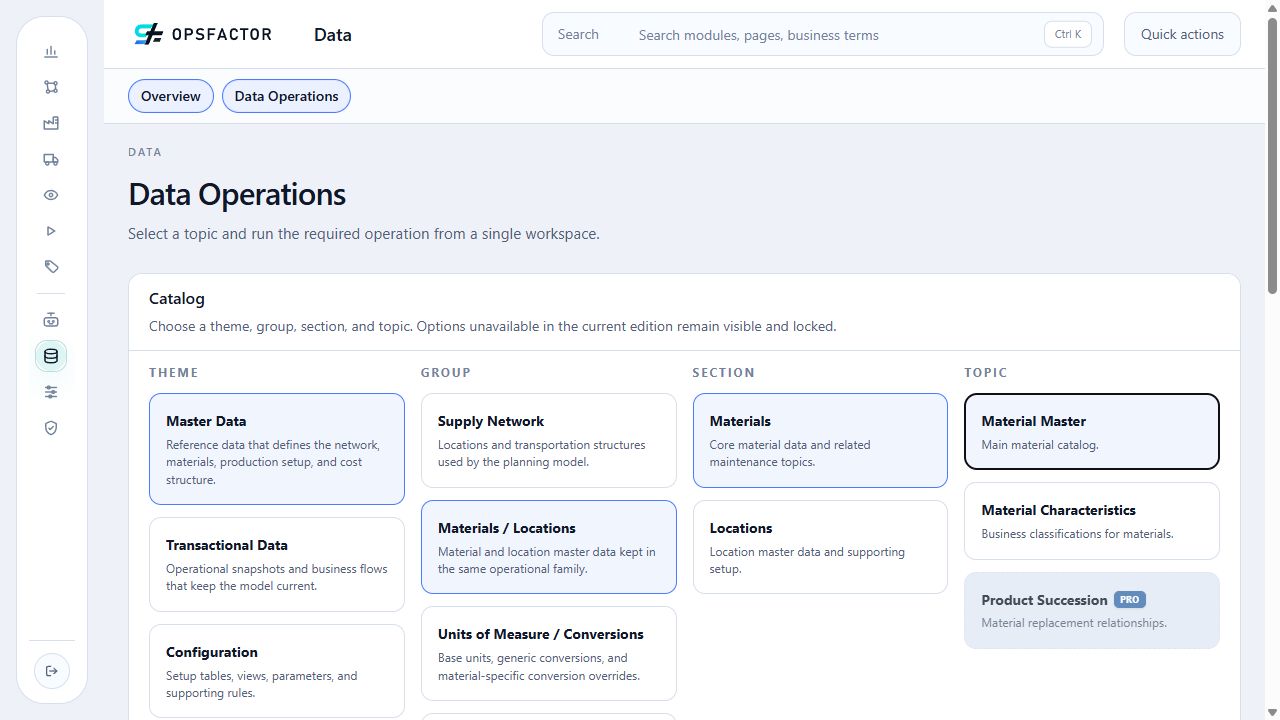
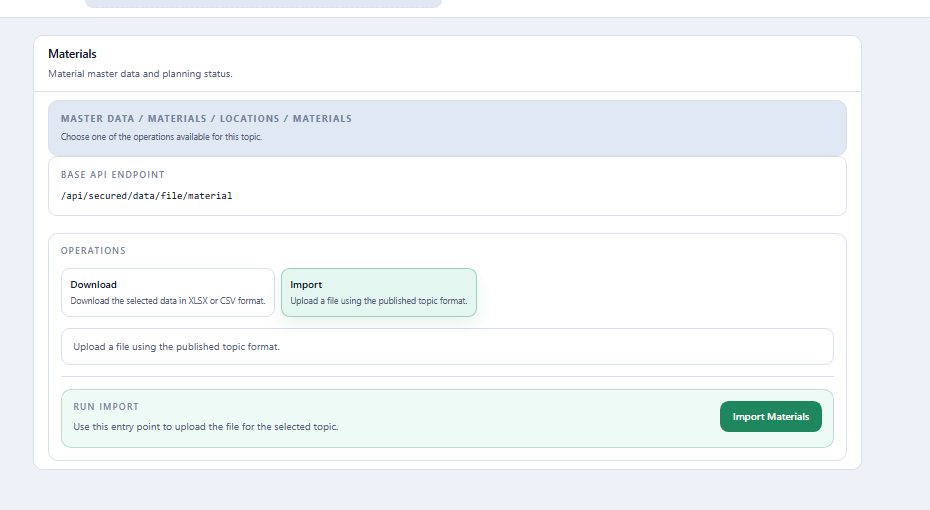
Read-only excerpt of the original export: sheet Data, 18 data rows; first 5 shown below. Headers and values are preserved. This webpage table does not alter the XLSX.
| Id | Description | Active (True/False or 1/0) : Default = True if empty | Lifecycle Stage ('Not Launched', 'New', 'Regular', 'Discontinued') | Introduction Date | Discontinuation Date | Default Unit of Measure (SNP) | Sales Unit of Measure (DP) | Default Transfer Unit of Measure (Supply Planning) | Operational Model ('MTS', 'MTO') : Default = MTS if empty | Estágio do material | Família do produto | Formato do produto |
|---|---|---|---|---|---|---|---|---|---|---|---|---|
| BOBINA_BRANCO_75 | Bobina de papel branco 75 g/m² | TRUE | TON | MTS | Bobina | Papel branco | Bobina jumbo | |||||
| PA_BRANCO_90_A4_100 | Papel branco A4 90 g/m² — 100 folhas | TRUE | TON | MTS | Produto acabado | Papel branco | A4 | |||||
| PA_PREMIUM_A4 | Papel A4 premium — produto acabado | TRUE | TON | MTS | Produto acabado | Papel branco | A4 | |||||
| PA_COPIA_A4 | Papel A4 para cópia — produto acabado | TRUE | TON | MTS | Produto acabado | Papel branco | A4 | |||||
| PA_SANITARIO_TRIPLO_12 | Papel tissue folha tripla — 12 rolos | TRUE | TON | MTS | Produto acabado | Papel tissue | Pacote com 12 rolos |
| Field | Meaning | Values used in the tutorial |
|---|---|---|
Id |
Unique material code. | 18 raw-material, intermediate, and finished-good codes |
Description |
Full material description. | Description corresponding to each code |
Lifecycle Stage ('Not Launched', 'New', 'Regular', 'Discontinued') |
Commercial lifecycle stage. | Blank because it is not used in this tutorial |
Introduction Date |
Date from which the material is considered current. | Blank |
Discontinuation Date |
Date after which the material is no longer considered current. | Blank |
Default Unit of Measure (SNP) |
Base unit used by Supply Chain plans for production, purchasing, and transfers. | TON |
Sales Unit of Measure (DP) |
Optional Demand Planning reference unit. | Blank; the effective forecast unit is confirmed in the cluster-combination configuration |
Default Transfer Unit of Measure (Supply Planning) |
Optional default transfer unit. | Blank and outside this training's scope |
Operational Model ('MTS', 'MTO') : Default = MTS if empty |
How the material is operationally supplied. | MTS (make-to-stock) |
Estágio do material |
Material position in the production process. | Matéria-prima, Bobina, Semiacabado, Produto acabado |
Família do produto |
Commercial or production family used for grouping. | Celulose, Papel branco, Papel tissue |
Formato do produto |
Physical format or presentation. | Celulose, Bobina jumbo, Pilha, A4, Carta, Pacote com 12 rolos |
Import the 18 materials through Import.
04. Global unit conversions
Global conversions record equivalences that apply to every material. They are used when the relationship between two units does not depend on the SKU, unlike the material conversions presented in the next step.
In this scenario, Sales history is in KG, while the forecast is generated and
analyzed in TON. The global conversion between kilograms and tonnes is
therefore required for the Demand Planning execution.
Loading the global unit-conversion dataset
Required action
Download the Excel file above and import it into the platform by following the Path and Import tabs.
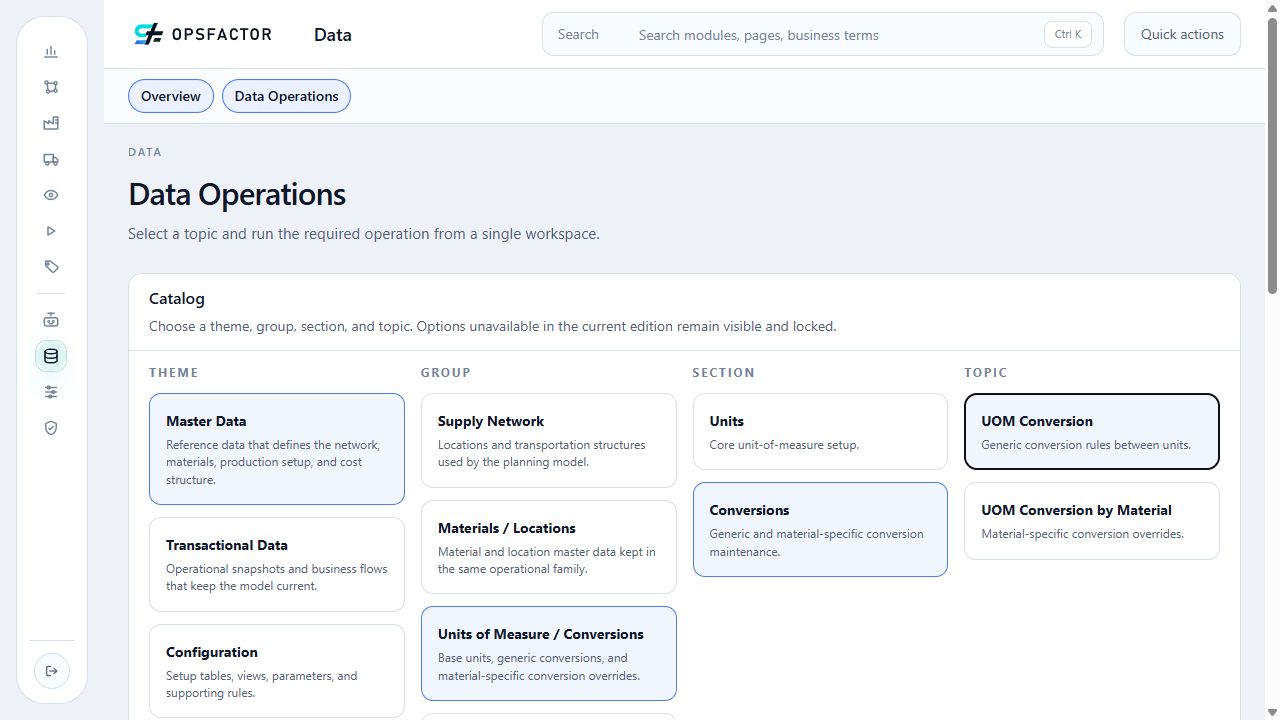
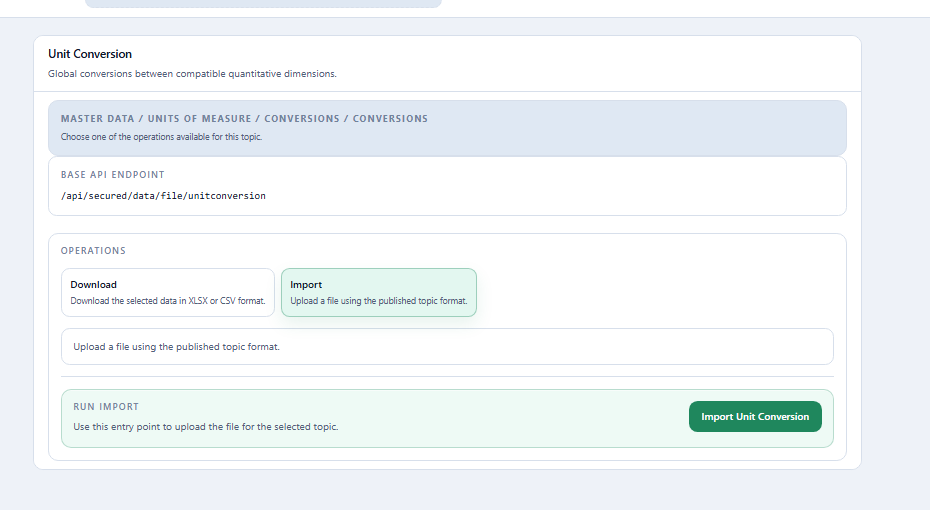
Read-only excerpt of the original export: sheet Data, 2 data rows; first 2 shown below. Headers and values are preserved. This webpage table does not alter the XLSX.
| Origin Unit of Measure Id | Target Unit of Measure Id | Origin Quantity | Target Quantity |
|---|---|---|---|
| TON | KG | 1 | 1000 |
| KG | TON | 1000 | 1 |
| Field | Meaning | Value used in the tutorial |
|---|---|---|
Origin Unit of Measure Id |
Unit in which the origin quantity is expressed. | TON and KG |
Target Unit of Measure Id |
Equivalent target unit. | KG and TON |
Origin Quantity |
Reference quantity in the origin unit. | 1 and 1000 |
Target Quantity |
Equivalent quantity in the target unit. | 1000 and 1 |
The two rows explicitly establish 1 TON = 1,000 KG and
1,000 KG = 1 TON. Both directions are required when the KG sales history
is planned in TON.
05. Material conversions
This dataset records equivalences that depend on the SKU. For the eight
finished goods, one UN corresponds to 0.25 KG or 0.40 KG, depending on the
material.
The current history is already in KG, and the scenario's productivities are
in TON. The global KG ↔ TON conversion in file 04 is therefore sufficient for
the current forecast. File 05 completes the UN → KG → TON network so that a
future input or analysis expressed in units can also be converted.
Loading the material-conversion dataset
05_material_unit_conversions.xlsx
Required action
Download the Excel file above and import it into the platform by following the Path and Import tabs.
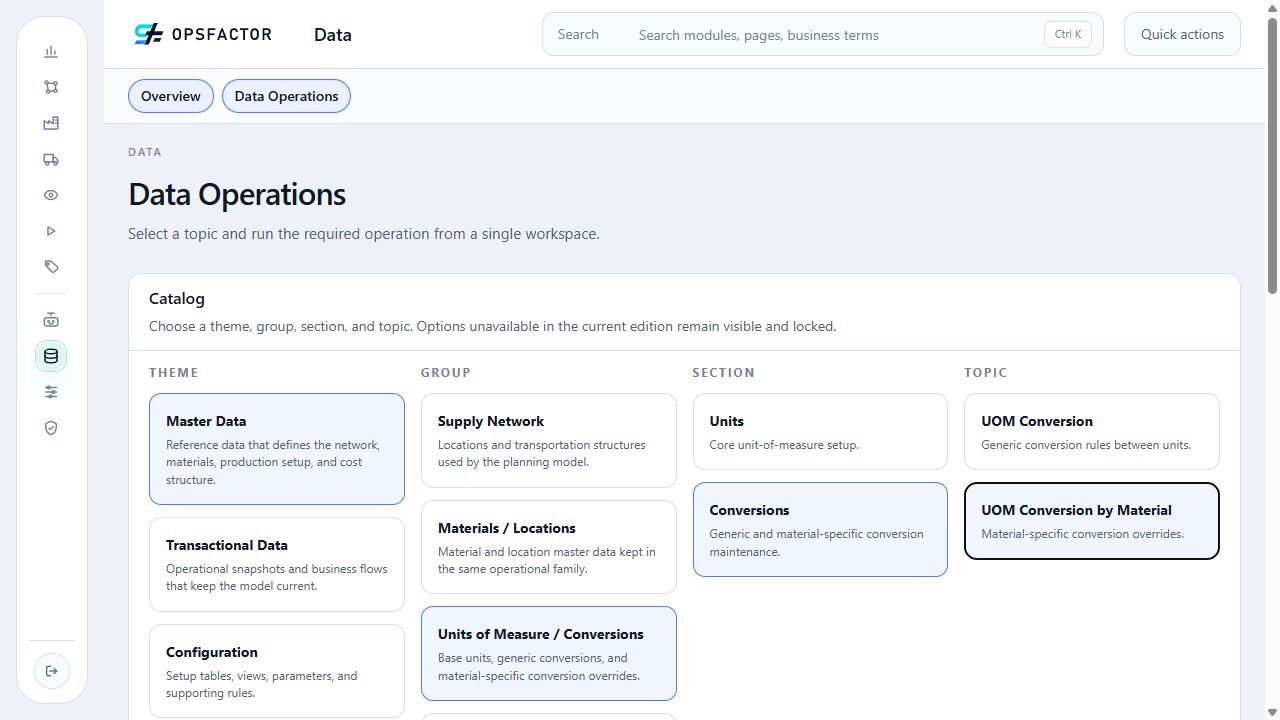
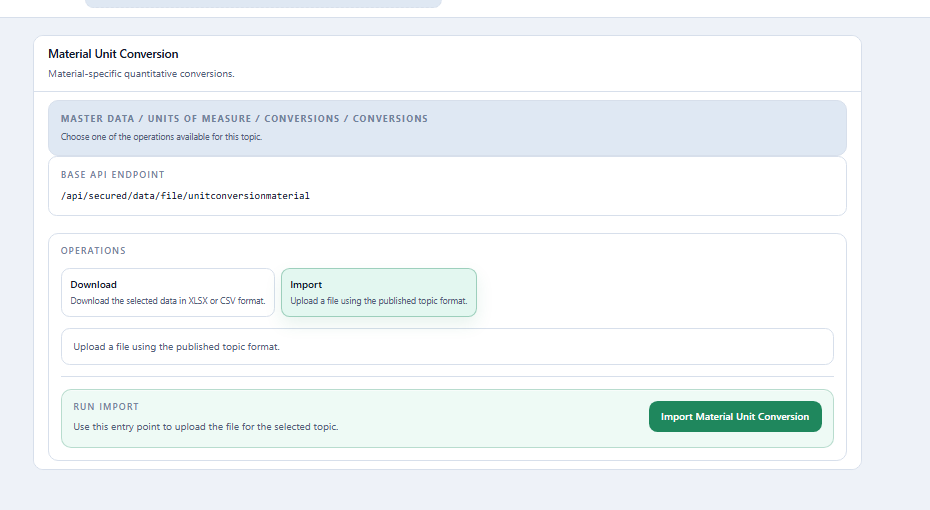
Read-only excerpt of the original export: sheet Data, 8 data rows; first 5 shown below. Headers and values are preserved. This webpage table does not alter the XLSX.
| Material Id | Origin Unit of Measure Id | Target Unit of Measure Id | Origin Quantity | Target Quantity |
|---|---|---|---|---|
| PA_BRANCO_75_A4_100 | UN | KG | 1 | 0.4 |
| PA_BRANCO_75_A4_50 | UN | KG | 1 | 0.25 |
| PA_BRANCO_75_CARTA_100 | UN | KG | 1 | 0.4 |
| PA_BRANCO_75_CARTA_50 | UN | KG | 1 | 0.25 |
| PA_BRANCO_90_A4_100 | UN | KG | 1 | 0.4 |
| Field | Meaning | Values used in the tutorial |
|---|---|---|
Material Id |
Material to which the specific equivalence applies. | Eight finished goods |
Origin Unit of Measure Id |
Origin-quantity unit. | UN |
Target Unit of Measure Id |
Equivalent target unit. | KG |
Origin Quantity |
Reference quantity in the origin unit. | 1 |
Target Quantity |
Weight of one unit of the material. | 0.25 or 0.40 |
06. Location characteristics
These characteristics classify demand locations by region and channel. As with materials, this dataset registers the characteristics, while their values are provided later in the location file itself.
Loading the location-characteristics dataset
06_customer_characteristics.xlsx
Required action
Download the Excel file above and import it into the platform by following the Path and Import tabs.
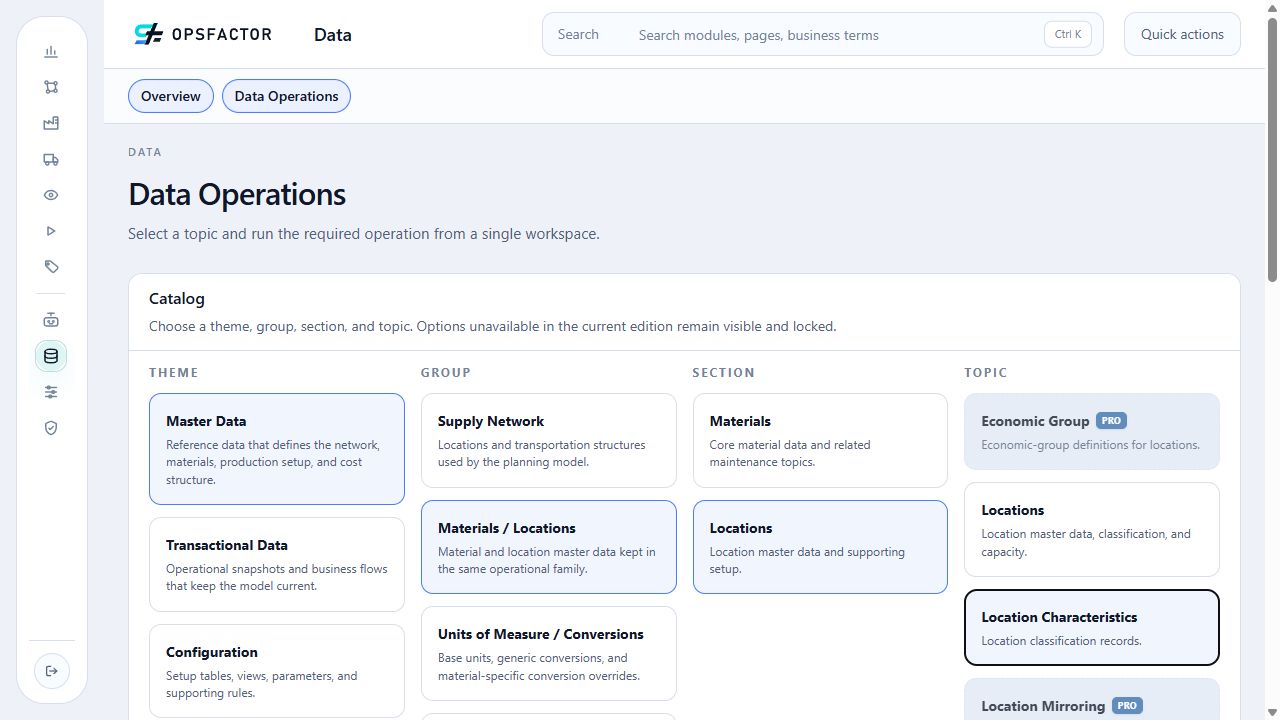
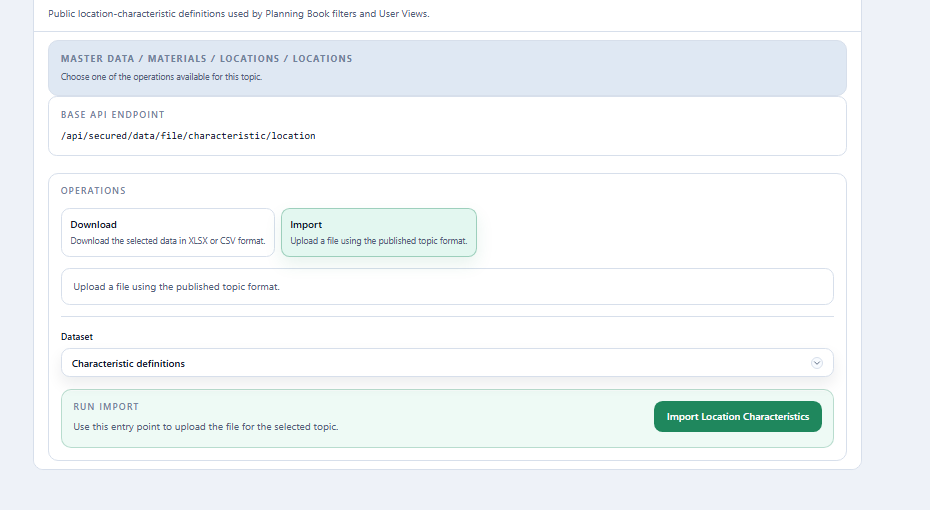
Read-only excerpt of the original export: sheet Data, 2 data rows; first 2 shown below. Headers and values are preserved. This webpage table does not alter the XLSX.
| Location Characteristic Id | Description | Type (BINARY / NUMERICAL / CATEGORICAL) |
|---|---|---|
| CANAL_VENDA | Canal de venda | CATEGORICAL |
| REGIAO_CLIENTE | Região do cliente | CATEGORICAL |
| Field | Meaning | Values used in the tutorial |
|---|---|---|
Location Characteristic Id |
Unique characteristic code. | REGIAO_CLIENTE, CANAL_VENDA |
Description |
User-facing name and the column title in the location file. | Região do cliente, Canal de venda |
Type (BINARY / NUMERICAL / CATEGORICAL) |
Type of accepted values. | CATEGORICAL on both rows |
- Customer Region identifies the served region:
Centro,Coastal, orLeste; - Sales Channel identifies the sales channel:
DiretoorIndireto.
07. Locations dataset
Locations represent suppliers, plants, distribution centers, transshipment
points, customers, or demand regions. Região do cliente and Canal de venda
values are loaded in the final columns of this same file; there is no separate
load for those values.
Loading the locations dataset
Required action
Download the Excel file above and import it into the platform by following the Path and Import tabs.
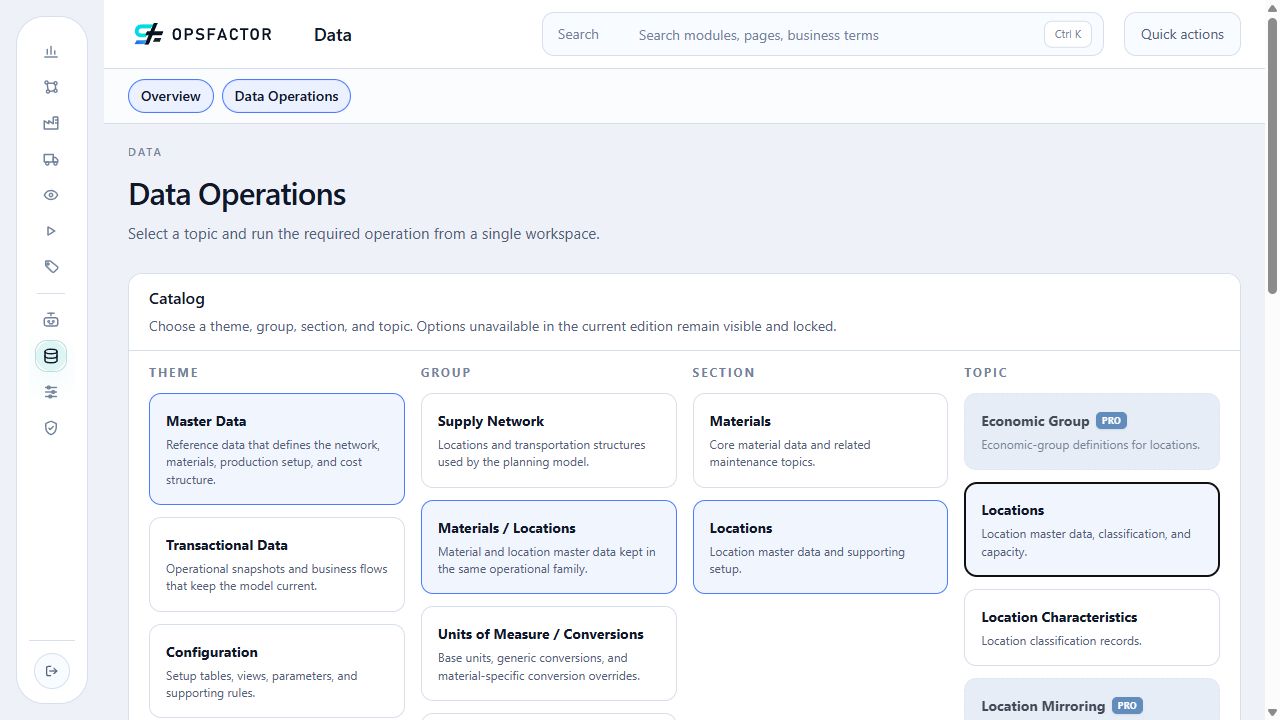
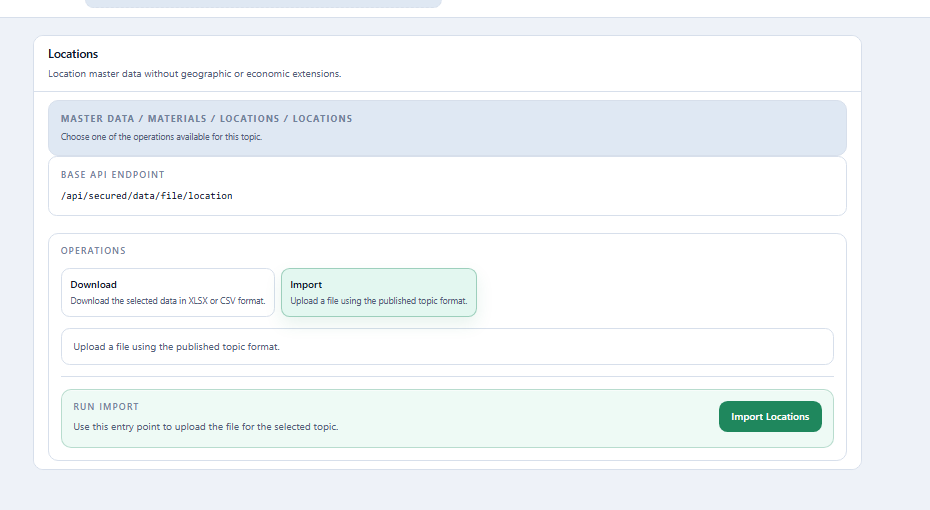
Read-only excerpt of the original export: sheet Data, 12 data rows; first 5 shown below. Headers and values are preserved. This webpage table does not alter the XLSX.
| Location Id | Description | Active (True/False or 1/0) : Default = True if empty | Location Type : 'Internal', 'End Client', 'Supplier', 'Commercial Region' or 'Transshipment Point'. Default = 'Internal' | Country | State | City | Reference Location for Product-Location parameter mirroring | Available in Production Planning Book : true/false or 0/1 | Available in Supply Planning Book : true/false or 0/1 | Finite production capacity (for constrained plan. default = true) : true/false or 0/1 | Default UOM for supply planning (SNP) | Safety Stocks considers indirect demand (default = true) : true/false or 0/1 | Canal de venda | Região do cliente |
|---|---|---|---|---|---|---|---|---|---|---|---|---|---|---|
| REGIONAL_LITORAL_INDIRETO | Regional Litoral — canal indireto | TRUE | End Client | Mercado do tutorial | Região Litoral | FALSE | TRUE | TRUE | TON | TRUE | Indireto | Litoral | ||
| REGIONAL_CENTRO_INDIRETO | Regional Centro — canal indireto | TRUE | End Client | Mercado do tutorial | Região Centro | FALSE | TRUE | TRUE | TON | TRUE | Indireto | Centro | ||
| REGIONAL_LESTE_INDIRETO | Regional Leste — canal indireto | TRUE | End Client | Mercado do tutorial | Região Leste | FALSE | TRUE | TRUE | TON | TRUE | Indireto | Leste | ||
| FABRICA_LESTE | Fábrica Leste | TRUE | Internal | Mercado do tutorial | Região Leste | TRUE | TRUE | TRUE | TON | TRUE | ||||
| REGIONAL_LITORAL_DIRETO | Regional Litoral — canal direto | TRUE | End Client | Mercado do tutorial | Região Litoral | FALSE | TRUE | TRUE | TON | TRUE | Direto | Litoral |
| Field | Meaning | Values used in the tutorial |
|---|---|---|
Location Id |
Unique location code. It may be an ERP code, internal abbreviation, customer, or region/channel combination. | 12 codes |
Description |
Full location description. | Description corresponding to each code |
Active (True/False or 1/0) : Default = True if empty |
Controls participation in planning executions. Its history can still be used by statistical models when inactive. | TRUE or 1 |
Location Type : 'Internal', 'End Client', 'Supplier', 'Commercial Region' or 'Transshipment Point'. Default = 'Internal' |
Role of the location in the network. | Internal for plant/DC, Supplier for supplier, and End Client for customer or demand region |
Country, State, City |
Optional geographic reference. | Reference data not used by this tutorial's calculations |
Região do cliente |
Region associated with End Client locations. |
Centro, Coastal, Leste |
Canal de venda |
Channel associated with End Client locations. |
Direto, Indireto |
The parameters needed by Supply Planning are already explicit in this file:
Production Planning Book availability is 1 for the two plants and 0 for
other locations; Supply Planning Book availability is 1; the default UOM
is TON; and safety stock considers indirect demand (1) at every location.
Preserve these values when reimporting: a blank field can clear an existing
configuration.
The last two columns follow characteristic-ID order: Customer Region
(REGIAO_CLIENTE) and Sales Channel (CANAL_VENDA).
08. Sales
In OpsFactor, Sales history may represent sell-in or sell-out. The Community Edition provides sell-out, which records a past sale—typically associated with billing—from a location. This tutorial uses the term Sales because it is more direct for the person running the process.
Sales history is the input to Demand Planning statistical models. For monthly or weekly projections, load at least two years of history so that models such as Holt-Winters and ARIMA have at least two complete seasonal cycles.
The file contains 38 observed months, from November 2023 through December 2026, for ten
finished goods and six customer locations. There are no observed-sales rows in
2027; January 2027 is the forecast reference month. Every quantity is in KG; the
global conversion in file 04 makes it possible to generate and analyze the forecast
in TON.
Loading the Sales dataset
Required action
Download the Excel file above and import it into the platform by following the Path and Import tabs.
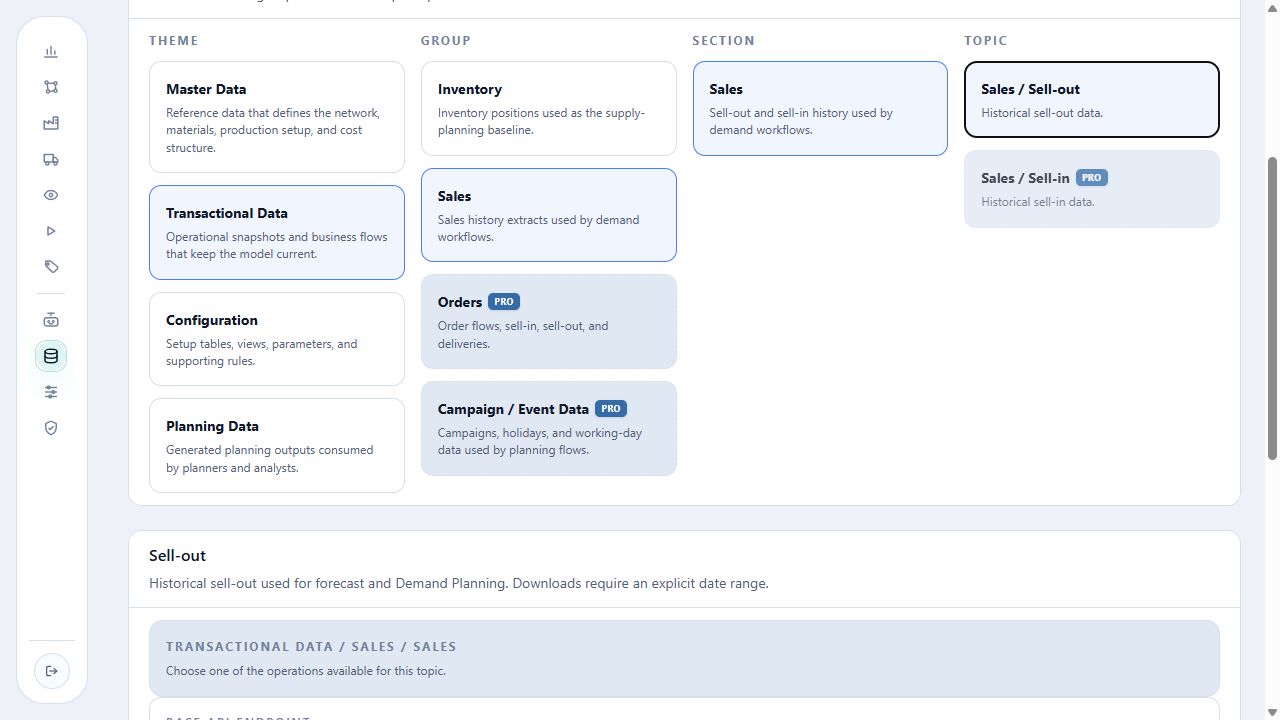
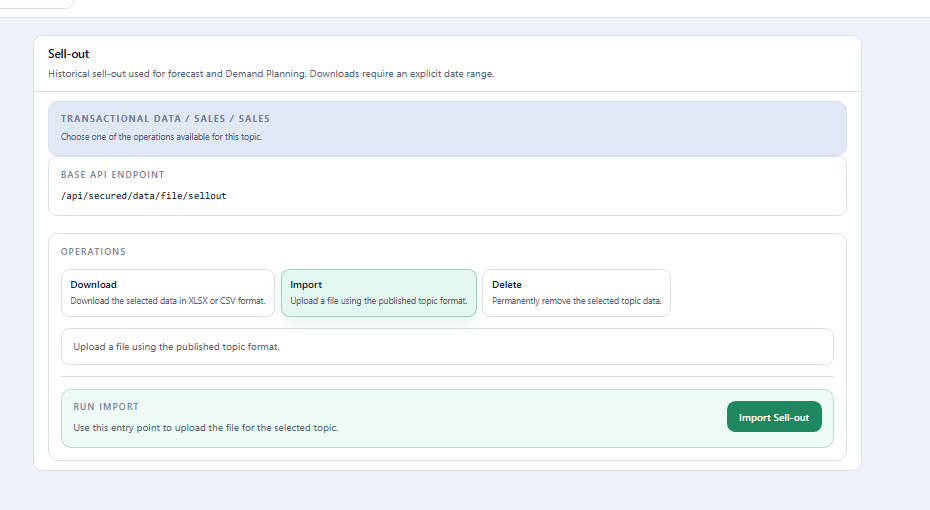
Read-only excerpt of the original export: sheet Data, 2280 data rows; first 5 shown below. Headers and values are preserved. This webpage table does not alter the XLSX.
| Document Id | Reference Date | Origin Location Id | Material Id | Unit of Measure Id | Quantity |
|---|---|---|---|---|---|
| TUTORIAL-VENDA-000001 | 2026-04-01T00:00:00 | REGIONAL_LITORAL_DIRETO | PA_BRANCO_75_A4_50 | KG | 6163.764298377862 |
| TUTORIAL-VENDA-000002 | 2026-05-01T00:00:00 | REGIONAL_LITORAL_DIRETO | PA_BRANCO_75_A4_50 | KG | 5924.923789189198 |
| TUTORIAL-VENDA-000003 | 2026-06-01T00:00:00 | REGIONAL_LITORAL_DIRETO | PA_BRANCO_75_A4_50 | KG | 7303.471744829654 |
| TUTORIAL-VENDA-000004 | 2026-07-01T00:00:00 | REGIONAL_LITORAL_DIRETO | PA_BRANCO_75_A4_50 | KG | 6555.104626050892 |
| TUTORIAL-VENDA-000005 | 2026-08-01T00:00:00 | REGIONAL_LITORAL_DIRETO | PA_BRANCO_75_A4_50 | KG | 6303.282059604542 |
| Field | Meaning | Values used in the tutorial |
|---|---|---|
Document Id |
Unique sales-record identifier. | One code per row |
Reference Date |
Sales reference date. | First day of each month |
Origin Location Id |
Customer or demand region that originated the history. It must exist in the location dataset. | Six End Client locations |
Material Id |
Sold product. It must exist in the material dataset. | Ten finished goods |
Unit of Measure Id |
Unit in which the quantity was recorded. | KG on every row |
Quantity |
Quantity sold for the specified date, location, and material. | Positive historical quantity |
Import the 2,280 rows last, after materials, locations, and units of measure have been registered.
Return to the course map or continue to the 3. Demand Forecast Overview.