Collaborate on the Demand Plan
Collaboration adds future information that is absent from history. It should not silently repair data issues or replace the baseline with untraceable opinion.
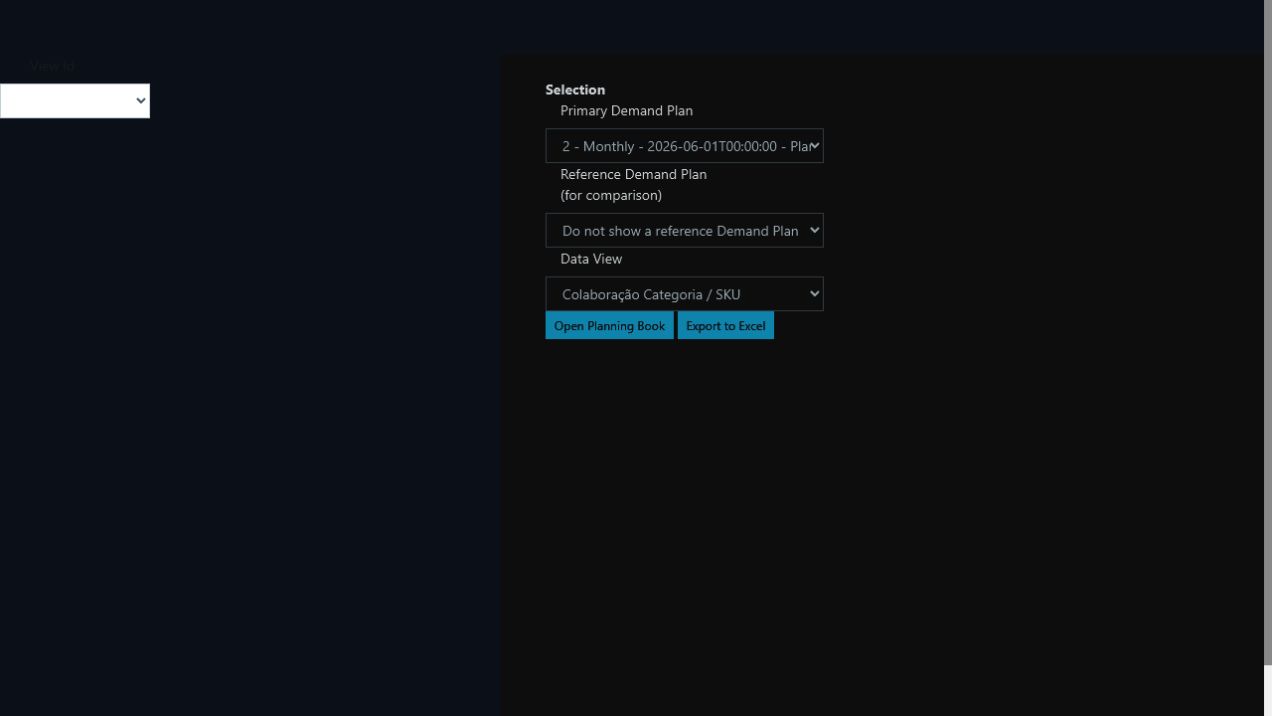
The Planning Book always starts from an explicit version and view, preventing work on the wrong cycle or scope.
Before editing
Confirm the Demand Plan, workflow stage, unit, period, filters, editable series, and allocation effect.
Procedure
- Open the Demand Plan Planning Book.
- Select your workflow stage.
- Apply decision-appropriate filters and groupings.
- Compare history, baseline, and prior adjustments.
- Enter the allowed delta or value.
- Record the reason.
- Review the effect on totals and DFUs.
- Save and confirm persistence.
- Forward or release the stage according to governance.
Good reasons include future contracts, campaigns, customer entry or exit, launches, discontinuations, and verifiable market events. Check that the event is not already represented in treated history, model signals, another key figure, or a previous stage.
Stage close
Review totals before and after, largest deltas, missing reasons, overlaps, units, deadlines, and approval limits. The result must remain traceable to both baseline and individual adjustments.