Forecast levels and clusters
The forecast level answers: which series should the statistical engine learn separately?
A DFU (Demand Forecasting Unit) is the detailed material/location pair. Forecasts may be calculated above that level and disaggregated afterward.
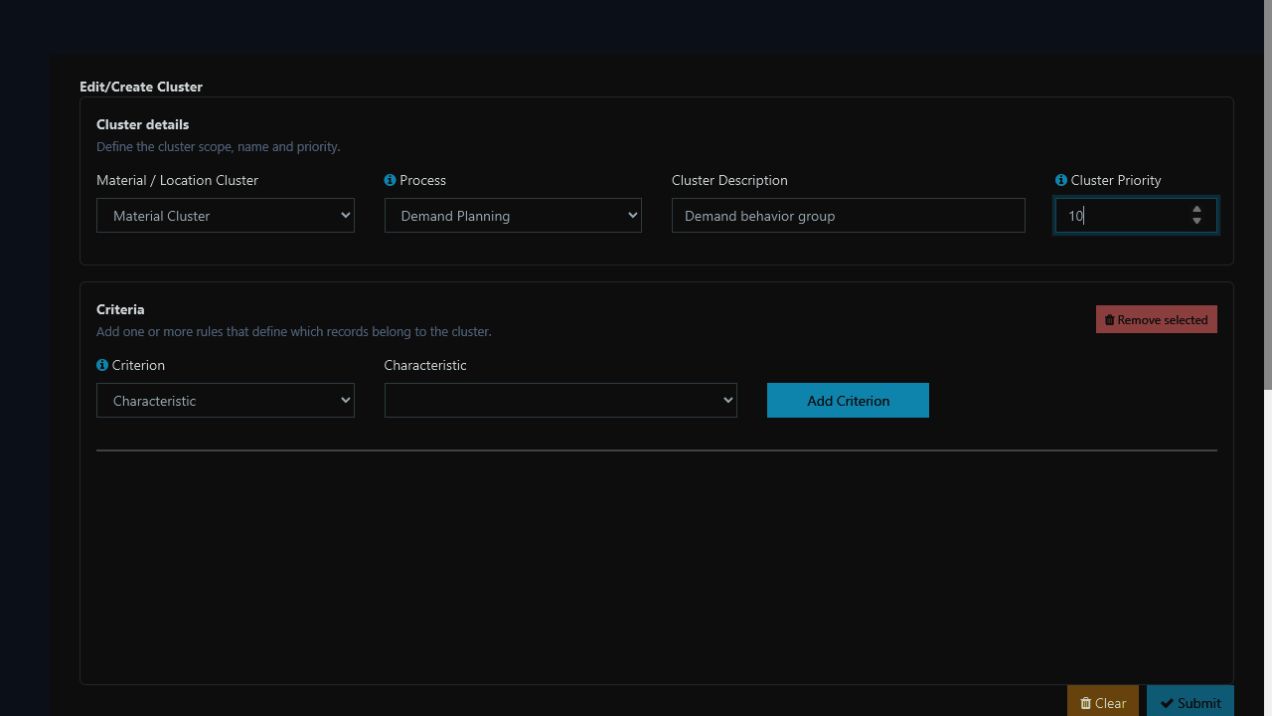
Local demo example: dimension, process, priority, and criterion make the grouping rule auditable.
Why aggregate
Forecasting every DFU separately may create thousands of sparse, short, or intermittent series. Meaningful aggregation can increase signal, reduce noise, support governance by family or channel, and align statistics with the commercial decision level.
Aggregation can also conceal important differences. Do not group materials with incompatible lifecycles or locations with opposing behavior only to improve one metric.
Material and location clusters
Material and location clusters determine which records belong to each planning group. Their registration does not select the statistical model or the aggregation rule.
In Community, material rules can use supported lifecycle stages, while location rules can use location type or country/state. Enterprise also allows governed planning characteristics. See the complete cluster registration contract.
Select the level
| Situation | Suggested starting level | Reason |
|---|---|---|
| Dense, stable series | Material/location | Preserves local behavior |
| Many small customers | Material × location cluster | Consolidates signal while preserving the item |
| Highly fragmented portfolio | Material cluster × location cluster | Avoids excessively sparse series |
| Commercial decisions by category and channel | Category × channel | Aligns statistics and collaboration |
Every aggregate level requires a disaggregation rule, such as historical proportions or another governed signal.
Step A — register cluster membership
- List the dimensions that explain demand.
- Measure observations, zeros, and stability for candidate levels.
- Open
Configuration > Clustering. - Create business-meaningful material and location clusters.
- Define priorities and auditable allocation rules.
- Review Cluster Allocation and correct uncovered or ambiguous records.
Step B — configure each cluster pair
- Open
Demand Planning > Configuration > Cluster-Level Configuration. - Select the execution profile, material cluster, and location cluster.
- Define top-down or bottom-up separately for material and location.
- Select the statistical model.
- When a dimension is top-down, select how the aggregate returns to DFUs.
- Review the historical windows, unit, rounding, and participation in the run.
- Save and test the pair through simulation before the official run.
The exact fields and defaults are documented in Cluster-level Demand Planning configuration.
A cluster is a policy
It determines which series share parameters, how results are explained, and where teams collaborate.