13. Configure the inventory policy
An inventory policy converts future demand into inventory targets for
material-location combinations. In this tutorial, it protects all 10 finished
goods at CD_LESTE and CD_INTERIOR with 5 days of safety-stock coverage. This is not production
anticipation or prebuild; it is variability protection expressed as days of
future demand.
Materials and locations from chapter 2 are prerequisites. The policy header must also exist before its details.
Original file and field glossary
Keep the download identical to the application export: headers, sheet names, column order, types, values and native formatting. The field tables explain the literal technical names outside the workbook. Configured descriptions and IDs are scenario data, not translations applied after download.
Tutorial decision
| Parameter | Value |
|---|---|
| Operational Model | MTS |
| Reorder Model | DRP |
| Safety Stock Type | DAYS |
| DRP Safety Stock | 5 |
| DRP Maximum Stock | 18 |
| Effective dates | January 1 through December 31, 2027 |
Load order
| Order | File | Dataset | Depends on |
|---|---|---|---|
| 11 | 11-inventory-policy.xlsx |
Header and effective dates | — |
| 12 | 12-inventory-policy-details.xlsx |
Material-location rule | policy, material, and location |
Open Inventory Policy
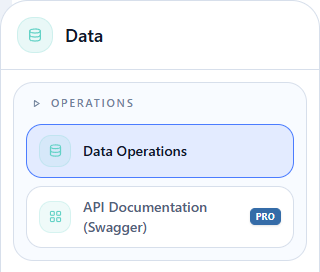
Hover over Data and click Operations > Data Operations.
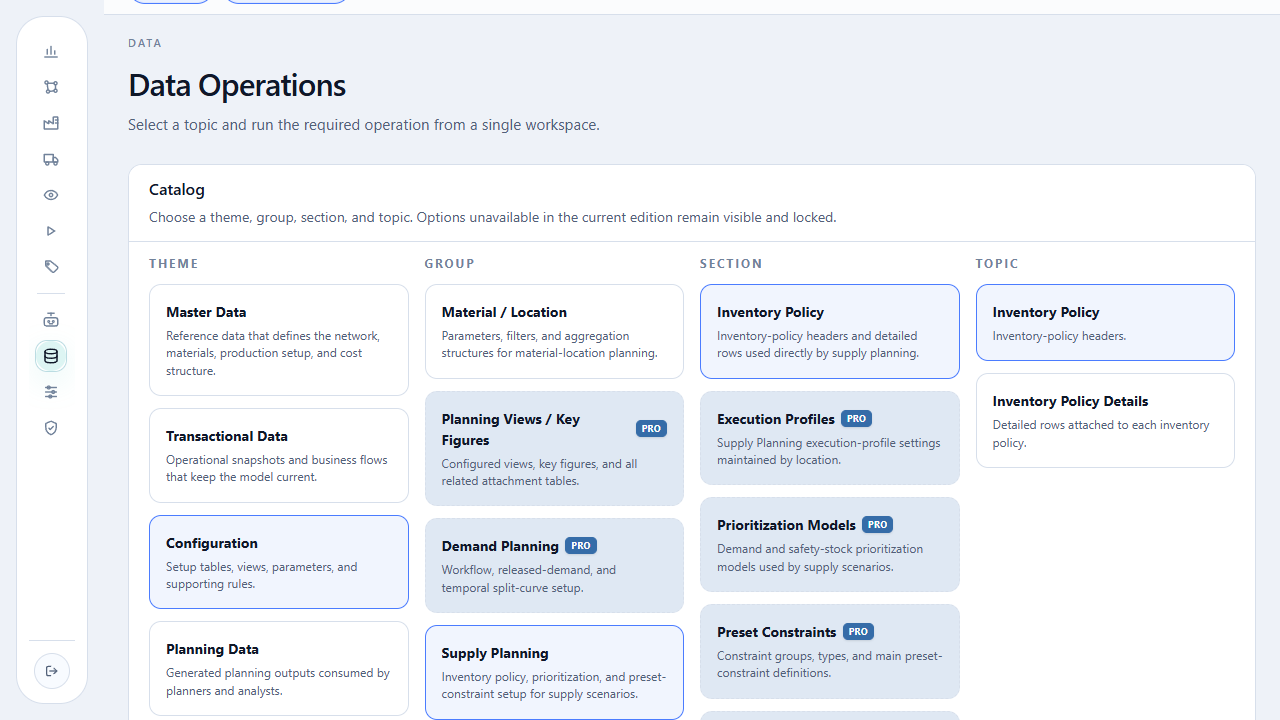
On the open page, select Configuration > Supply Planning > Inventory Policy. In Topic, choose Inventory Policy first, then Inventory Policy Details.
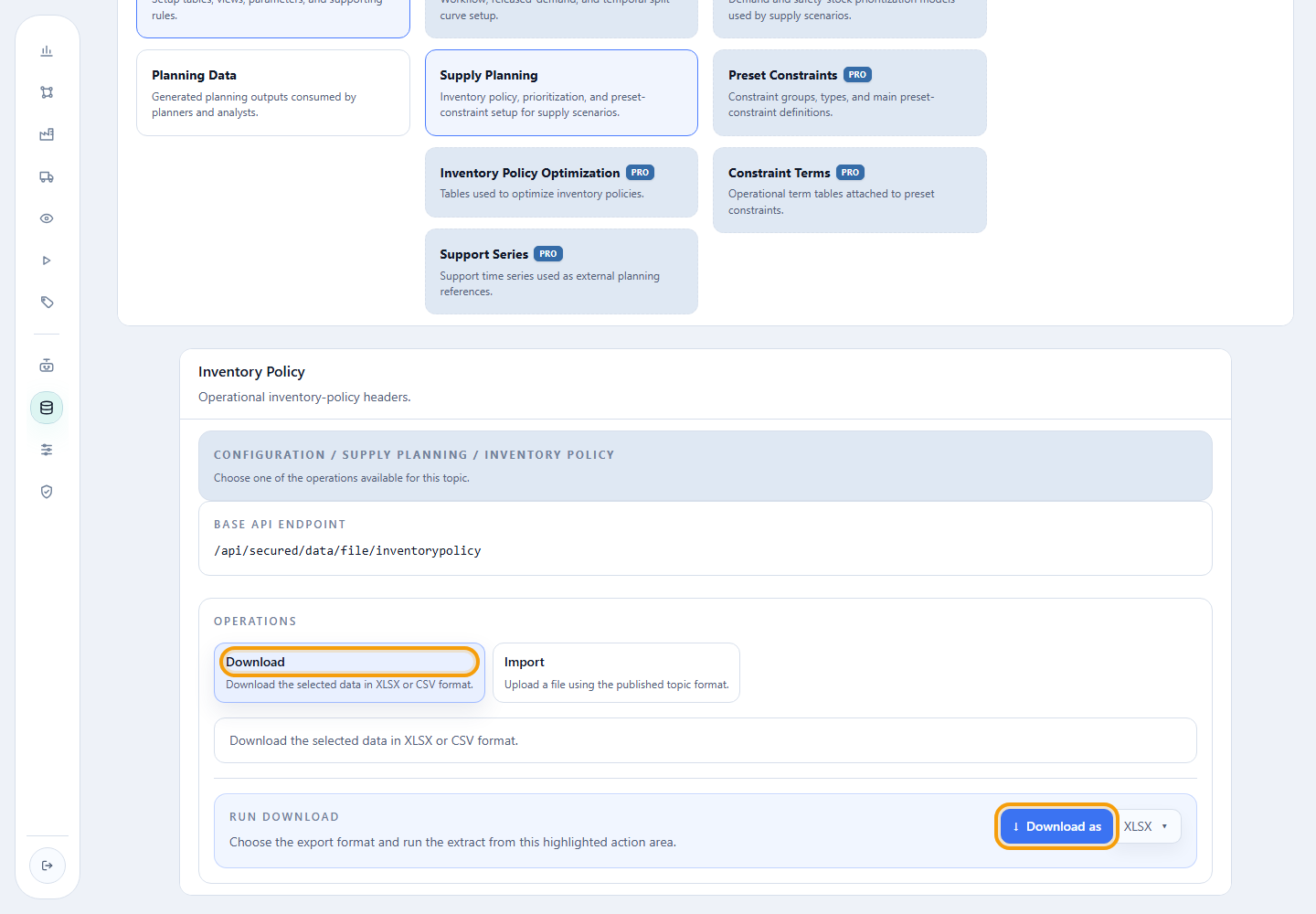
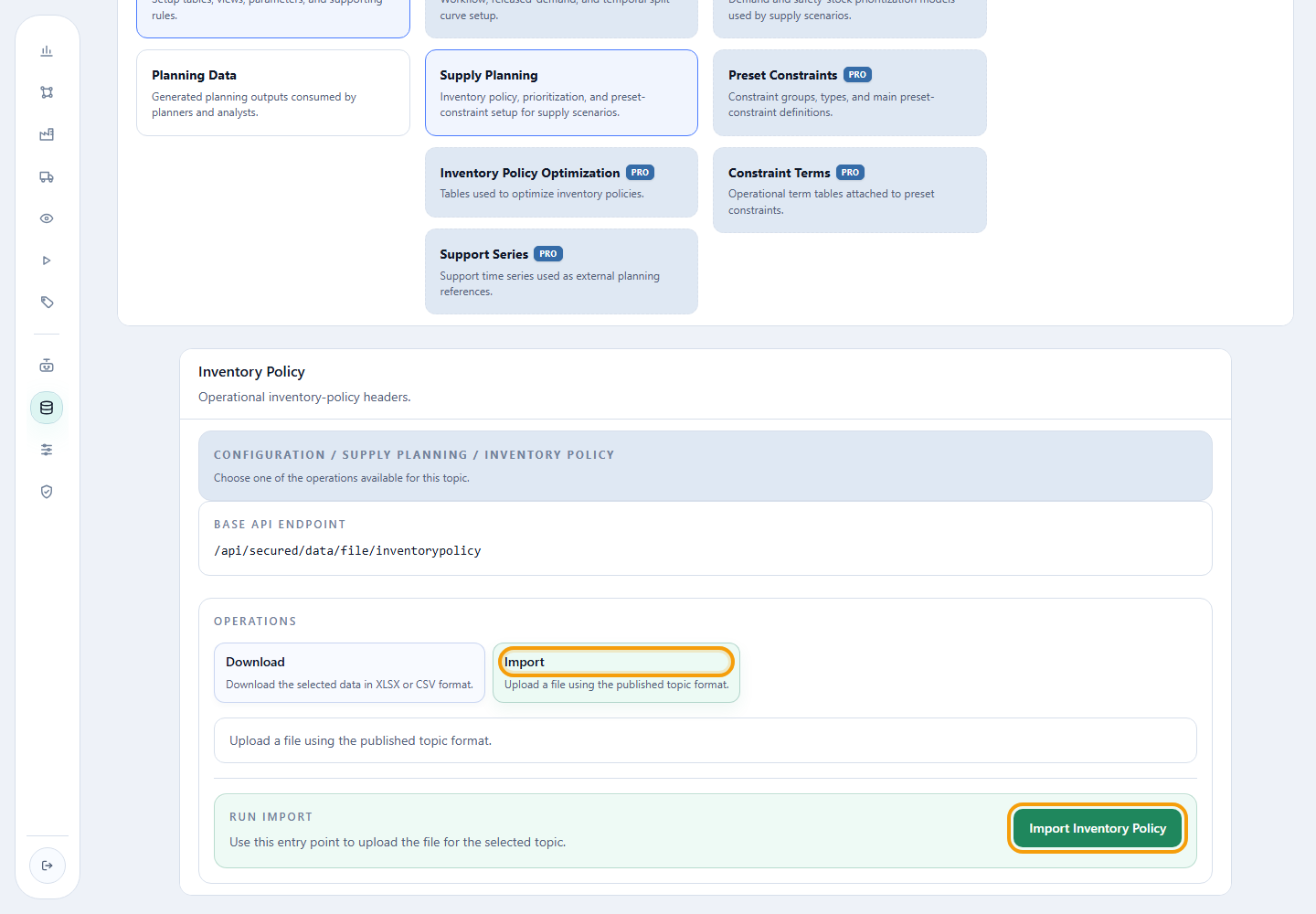
For the selected topic, use Download > Download as XLSX to obtain the template. After checking the file, return to the same topic and use Import to choose it and run the load.
1. Load the policy header
Action required
Download the template, open the workbook, and import the header before any detail row.
Configuration > Supply Planning > Inventory Policy > Inventory Policy.
Select Import, choose 11-inventory-policy.xlsx, and click Import
Inventory Policy.
Read-only excerpt of the original export: sheet Data, 1 data rows; first 1 shown below. Headers and values are preserved. This webpage table does not alter the XLSX.
| Id | Priority | Start Date | End Date |
|---|---|---|---|
| POLITICA_PA_TUTORIAL | 1 | 2027-01-01T00:00:00 | 2027-12-31T00:00:00 |
| Field | Meaning | Tutorial value |
|---|---|---|
Id |
Code referenced by the detail rows. | POLITICA_PA_TUTORIAL |
Priority |
Application order; a lower number means higher priority. | 1 |
Start Date |
First effective day. | 2027-01-01 |
End Date |
Last effective day. | 2027-12-31 |
Applicable policies are evaluated by ascending priority. Avoid overlapping effective periods that leave two rules competing for the same combination.
Checkpoint: the Download should return POLITICA_PA_TUTORIAL, priority 1, and the
full 2027 effective period.
2. Load the material-location rule
12-inventory-policy-details.xlsx
Action required
Download the template and import all 20 details only after POLITICA_PA_TUTORIAL
exists.
Configuration > Supply Planning > Inventory Policy > Inventory Policy Details.
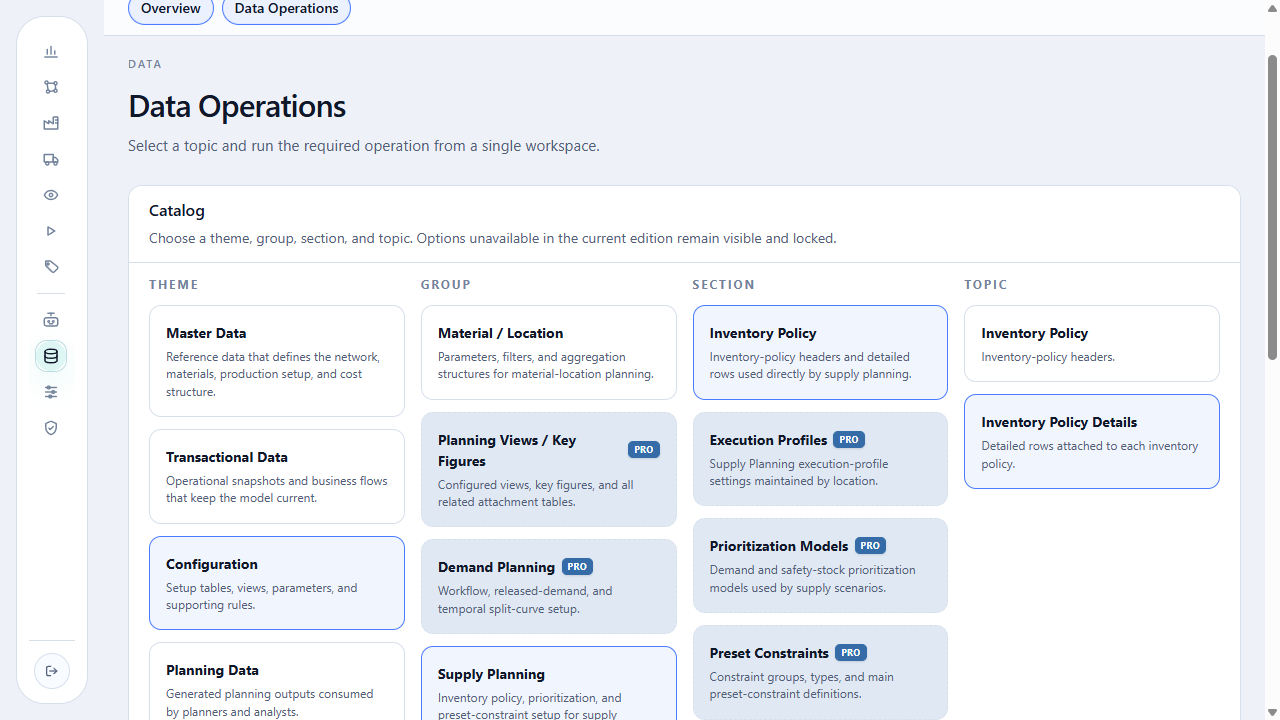
The catalog screen above shows Inventory Policy Details in the Topic column.
Select Import, choose 12-inventory-policy-details.xlsx, and run the
import for the selected topic. The controls use the same layout shown for
Inventory Policy; confirm the topic title before loading.
Read-only excerpt of the original export: sheet Data, 20 data rows; first 5 shown below. Headers and values are preserved. This webpage table does not alter the XLSX.
| Inventory Policy Id | Material Id | Location Id | Operational Model : MTS / MTO (default = MTS if empty) | Reorder Model : DRP / KANBAN (default = DRP if empty) | Safety Stock Type : DAYS / QUANTITY (default = DAYS if empty) | DRP Safety Stock or Kanban Target Stock (# days or quantity) | DRP Maximum Stock (# days or quantity) |
|---|---|---|---|---|---|---|---|
| POLITICA_PA_TUTORIAL | PA_PREMIUM_A4 | CD_INTERIOR | MTS | DRP | DAYS | 5 | 18 |
| POLITICA_PA_TUTORIAL | PA_PREMIUM_A4 | CD_LESTE | MTS | DRP | DAYS | 5 | 18 |
| POLITICA_PA_TUTORIAL | PA_COPIA_A4 | CD_INTERIOR | MTS | DRP | DAYS | 5 | 18 |
| POLITICA_PA_TUTORIAL | PA_COPIA_A4 | CD_LESTE | MTS | DRP | DAYS | 5 | 18 |
| POLITICA_PA_TUTORIAL | PA_SANITARIO_TRIPLO_12 | CD_INTERIOR | MTS | DRP | DAYS | 5 | 18 |
| Field | Meaning | Tutorial value |
|---|---|---|
Inventory Policy Id |
Policy to which the rule belongs. | POLITICA_PA_TUTORIAL |
Material Id |
Material protected by the rule. | one of the 10 finished goods |
Location Id |
Point at which the inventory target is calculated. | CD_LESTE or CD_INTERIOR |
Operational Model : MTS / MTO (default = MTS if empty) |
How the material is supplied. | MTS |
Reorder Model : DRP / KANBAN (default = DRP if empty) |
Replenishment logic. | DRP |
Safety Stock Type : DAYS / QUANTITY (default = DAYS if empty) |
Protection unit: coverage days or quantity. | DAYS |
DRP Safety Stock or Kanban Target Stock (# days or quantity) |
Target coverage used as safety stock. | 5 days |
DRP Maximum Stock (# days or quantity) |
Maximum expressed in the same type unit. | 18 days |
Checkpoint: the Download should reproduce 20 rows: all 10 finished goods
at CD_LESTE and CD_INTERIOR, always with POLITICA_PA_TUTORIAL, MTS, DRP,
DAYS, 5, and 18.
3. Understand 5 days in a monthly calendar
The calculation converts days using the average month length:
5 ÷ 30.436875 = 0.1643 monthly period.
For the January bucket, coverage starts at i + 1: it uses approximately
16.43% of February demand.
| Coverage component | Weight | Example with future demand |
|---|---|---|
| February 2027 | 16.43% | 100 × 16.43% = 16.43 TON |
| January safety-stock target | — | 16.43 TON |
This is an average bucket calculation, not a count of actual days in each
month. With DAYS, the target follows future demand, while the plan still
considers initial inventory, receipts, lead times, capacity, and other
constraints.
4. Link the policy to the profile
The planning horizon belongs to the reusable calendar. The inventory policy's five days define desired coverage, not plan duration.
Action required
Keep the ID POLITICA_PA_TUTORIAL. In chapter 15,
select it in the Supply execution profile and save the profile.
This link belongs to execution configuration, not to these two file uploads.
Completion criterion
Complete the chapter when both Downloads reproduce the header and detail. Import proves the data was registered; linking the policy and observing its five-day effect happen in chapters 15 and 18.
Return to the supply network, or continue with initial inventory.